BESTSELLER

AutoCAD Mechanical

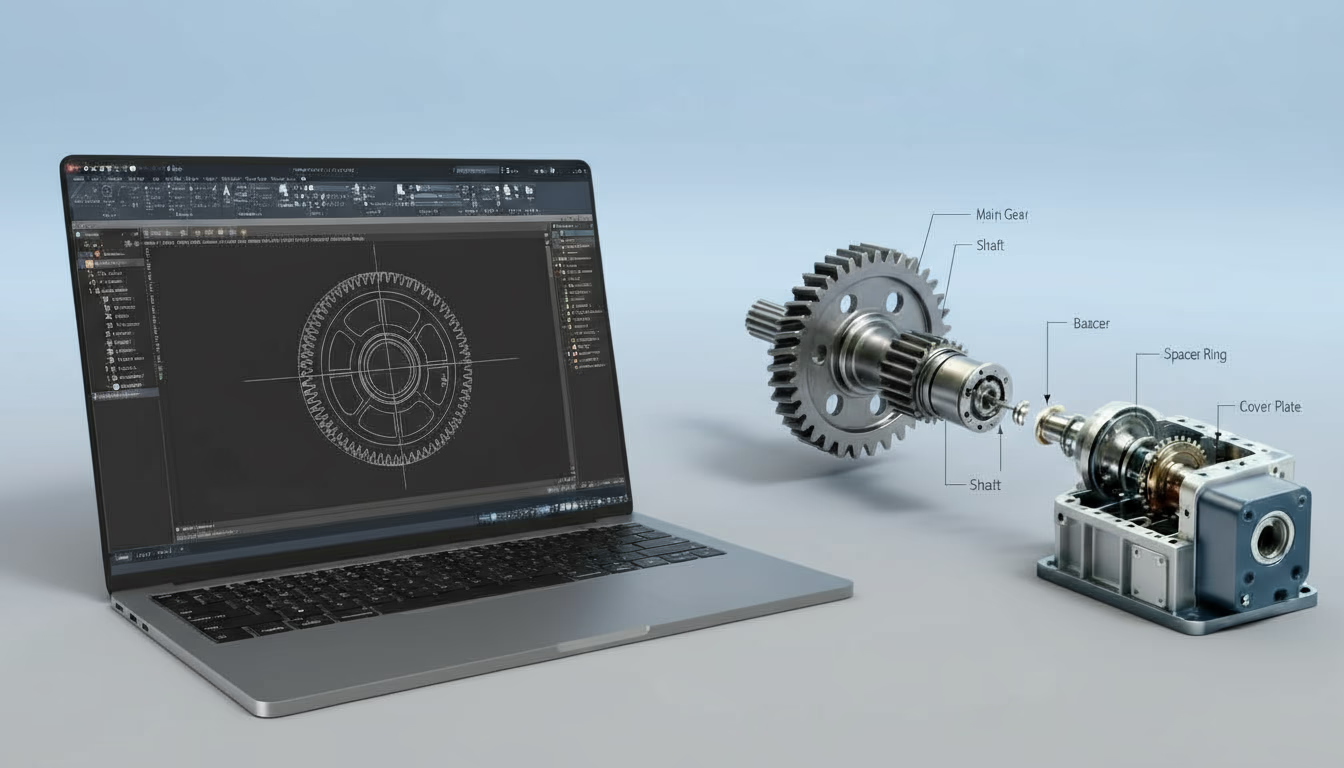
Develop professional mechanical drafting skills using AutoCAD Mechanical. This course covers 2D mechanical drawing, component design, dimensioning, and industry drafting standards widely used in manufacturing, machine design, and engineering documentation.

4.8 (24,985 ratings)
198,300 students enrolled

Rohit Dev Created by Rohit Dev | English

Course Overview

The AutoCAD Mechanical course provides comprehensive training in computer-aided design (CAD) specifically for mechanical engineering applications. The course focuses on creating precise 2D mechanical drawings, technical documentation, and design layouts used in manufacturing, product development, and engineering projects.

Participants will learn how to create mechanical components, assemblies, dimensioned drawings, and industry-standard design documentation using AutoCAD tools and features. The course also introduces drafting standards, layer management, geometric tolerances, and mechanical part libraries to help engineers design accurate and efficient mechanical systems.

By the end of the course, learners will be able to create professional mechanical drawings, develop engineering documentation, and support product design and manufacturing processes using AutoCAD.

Who can enrol?

  • Mechanical Engineering students
  • Diploma holders in Mechanical Engineering
  • Manufacturing engineers
  • Product design engineers
  • Drafting professionals
  • CAD technicians
  • Professionals interested in mechanical design and drafting

Tools & Technologies Covered

  • AutoCAD Mechanical Software
  • CAD Drafting Tools
  • Mechanical Component Libraries
  • Parametric Design Tools
  • Engineering Documentation Tools
  • Drawing Automation Features

Course Curriculum

45 Sections • 480 Lectures • 65h 30m total length

This module introduces the fundamentals of computer-aided design and the AutoCAD Mechanical environment.

Topics Covered

  • Introduction to CAD technology
  • Overview of AutoCAD Mechanical interface
  • Workspace setup and navigation
  • Coordinate systems and drawing units
  • Basic drawing commands
  • Object selection techniques
  • Drawing templates and standards

This module focuses on creating accurate 2D mechanical drawings using AutoCAD tools.

Topics Covered

  • Line, circle, arc, and polyline tools
  • Drawing modification commands
  • Trim, extend, offset, and fillet operations
  • Creating geometric shapes and mechanical parts
  • Layer management and drawing organization
  • Hatch patterns and section views
  • Dimensioning techniques

This module introduces mechanical design tools and pre-built libraries available in AutoCAD Mechanical.

Topics Covered

  • Mechanical part libraries
  • Standard components such as bolts, nuts, and shafts
  • Bearings and springs
  • Gear and shaft design basics
  • Component insertion and customization
  • Mechanical symbols and annotations

This module teaches how to create assemblies and detailed engineering drawings.

Topics Covered

  • Mechanical assembly concepts
  • Creating assembly drawings
  • Bill of materials (BOM) generation
  • Parts list creation
  • Exploded views
  • Sectional drawings and detailed views
  • Assembly documentation

This module focuses on creating precise engineering documentation for manufacturing.

Topics Covered

  • Linear, angular, and radial dimensions
  • Geometric dimensioning and tolerancing (GD&T)
  • Surface finish symbols
  • Manufacturing tolerances
  • Dimension styles and standards
  • Annotation tools

This module explores advanced design features and automation tools.

Topics Covered

  • Parametric design techniques
  • Automated drafting tools
  • Mechanical layer management
  • Customizing AutoCAD workspace
  • Drawing automation techniques
  • Design validation and checking tools

This module allows participants to apply their knowledge by completing a real mechanical design project.

Topics Covered

  • Project planning and concept development
  • Mechanical part design
  • Assembly modeling
  • Technical drawing preparation
  • Design review and optimization
  • Final project presentation

Certifications

  • AutoCAD Mechanical Certification
  • CAD Design Professional Certificate
  • Mechanical Drafting Training Certificate

Career Opportunities

  • CAD Design Engineer
  • Mechanical Drafting Engineer
  • Product Design Engineer
  • Manufacturing Design Engineer
  • Mechanical CAD Technician
  • Engineering Design Consultant

Why Choose Us

  • Industry-oriented CAD design curriculum
  • Hands-on training with real engineering design projects
  • Expert instructors with mechanical design experience
  • Practical assignments for mechanical drafting and design
  • Flexible learning options with online and offline classes
  • Certification that enhances career opportunities in mechanical design

Course Outcome

After completing this course, participants will be able to:

  • Understand the principles of computer-aided mechanical design
  • Create precise 2D mechanical drawings using AutoCAD
  • Design mechanical components and assemblies
  • Apply dimensioning and tolerancing standards
  • Generate engineering documentation for manufacturing
  • Use advanced AutoCAD Mechanical tools for efficient design
  • Develop professional mechanical design projects

Frequently Asked Questions

Everything you need to know about this course

 AutoCAD Mechanical is a specialized CAD software designed for mechanical engineers to create detailed engineering drawings and mechanical designs. 

 This course is suitable for mechanical engineering students, CAD designers, product designers, and professionals involved in manufacturing and mechanical drafting. 

No prior experience is required. The course begins with basic AutoCAD concepts and gradually progresses to advanced mechanical design techniques.

 Participants will learn mechanical drafting, component design, assembly creation, dimensioning, and preparation of professional engineering drawings. 

AutoCAD Mechanical is widely used in industries such as:

  • Manufacturing
  • Automotive engineering
  • Aerospace engineering
  • Industrial machinery design
  • Product development

 Yes. Participants will work on mechanical design projects and create complete engineering drawings. 

 The course duration is typically 6 weeks, depending on the training schedule. 

 Yes. Participants who successfully complete the course will receive an AutoCAD Mechanical Certification

AutoCAD Mechanical

AED 320.00

AED 350.00

2 days left at this price!

Login to Enroll Create Free Account

Flexible payment options available

About the course:
  • Duration: 6 Weeks
  • Mode: hybrid
  • Session: Weekdays or Weekends
  • Level: intermediate
  • Language: English

Student Testimonials

What our students say about this course

Rated 4.8 / 5
8 reviews

The AutoCAD Mechanical course helped me improve my technical drawing and drafting skills significantly. The instructors explained mechanical drafting standards, dimensioning techniques, and design documentation in a very clear and... The AutoCAD Mechanical course helped me improve my technical drawing and drafting skills significantly. The instructors explained mechanical drafting standards, dimensioning techniques, and design documentation in a very clear and practical way. The project-based exercises allowed me to practice creating detailed mechanical drawings used in manufacturing industries. Read more

Vikas Kumar
Vikas Kumar
Mechanical Design Engineer, Mahindra & Mahindra

This course provided a strong understanding of professional mechanical drafting using AutoCAD. I learned how to create precise 2D engineering drawings, assemblies, and technical documentation. The instructors also explained industry... This course provided a strong understanding of professional mechanical drafting using AutoCAD. I learned how to create precise 2D engineering drawings, assemblies, and technical documentation. The instructors also explained industry drafting standards and best practices which are extremely useful for real mechanical design projects. Read more

Anuj Singh
Anuj Singh
CAD Design Engineer, Ashok Leyland

The AutoCAD Mechanical training was very helpful for improving my drafting efficiency and understanding of mechanical drawing standards. The instructors guided us through various tools used to create accurate engineering... The AutoCAD Mechanical training was very helpful for improving my drafting efficiency and understanding of mechanical drawing standards. The instructors guided us through various tools used to create accurate engineering drawings. The practical assignments helped reinforce the concepts and improved my confidence in producing professional designs. Read more

Kartik Sharma
Kartik Sharma
Mechanical Drafting Engineer, Hero MotoCorp

I gained valuable knowledge about mechanical drafting and engineering drawing techniques during this course. The instructors explained AutoCAD tools, dimensioning methods, and drawing layouts very clearly. The hands-on exercises allowed... I gained valuable knowledge about mechanical drafting and engineering drawing techniques during this course. The instructors explained AutoCAD tools, dimensioning methods, and drawing layouts very clearly. The hands-on exercises allowed me to practice real design scenarios used in mechanical product development. Read more

Ravi Patel
Ravi Patel
Product Design Engineer, Bajaj Auto

This course helped me strengthen my skills in mechanical drafting and design documentation. The modules covering dimensioning standards, tolerances, and drawing annotations were particularly useful. The practical projects helped me... This course helped me strengthen my skills in mechanical drafting and design documentation. The modules covering dimensioning standards, tolerances, and drawing annotations were particularly useful. The practical projects helped me understand how engineering drawings are created for manufacturing and production purposes. Read more

Amit Desai
Amit Desai
CAD Specialist, Bosch India

The AutoCAD Mechanical training provided a clear understanding of drafting tools and mechanical drawing practices. I especially appreciated the practical exercises that allowed us to design machine components and assemblies.... The AutoCAD Mechanical training provided a clear understanding of drafting tools and mechanical drawing practices. I especially appreciated the practical exercises that allowed us to design machine components and assemblies. The instructors ensured every concept was explained with industry-relevant examples. Read more

Deepak Soni
Deepak Soni
Mechanical Engineer, Tata Steel

This course was extremely beneficial for improving my AutoCAD drafting workflow. The instructors explained various mechanical drawing tools and shortcuts that increased my productivity. The training also focused on real... This course was extremely beneficial for improving my AutoCAD drafting workflow. The instructors explained various mechanical drawing tools and shortcuts that increased my productivity. The training also focused on real engineering applications which made the course very practical and relevant to industry needs. Read more

Rahul Jain
Rahul Jain
Mechanical Designer, JCB India

The AutoCAD Mechanical course offered a great learning experience with detailed explanations of drafting standards and design workflows. The practical exercises helped me develop accurate mechanical drawings used in engineering... The AutoCAD Mechanical course offered a great learning experience with detailed explanations of drafting standards and design workflows. The practical exercises helped me develop accurate mechanical drawings used in engineering and manufacturing industries. I highly recommend this course for mechanical engineers and designers. Read more

Manoj Gupta
Manoj Gupta
Senior Mechanical Designer, Volvo Construction Equipment
Call Enquire Courses