Azure DevOps is a cloud-based suite of development tools from Microsoft that covers the entire software development lifecycle (SDLC), from planning to deployment and monitoring. It combines services like Boards for agile tracking, Repos for Git version control, Pipelines for CI/CD, Test Plans for quality assurance, and Artifacts for package management into one platform.
Originally evolved from Visual Studio Team Services (VSTS), it supports any language, stack, or toolchain, integrating natively with Azure services like AKS, VMs, and Active Directory from prior guides. Developers in digital marketing or cloud security can use it to automate SEO tool deployments or secure CI/CD for content platforms.
Free for up to 5 users, it scales to enterprises with self-hosted options via Azure DevOps Server for air-gapped environments.
Core Tools in Azure DevOps
Azure Boards provides Kanban boards, backlogs, sprints, and customizable work items for Scrum, Agile, or CMMI processes, with built-in analytics and dashboards for real-time progress tracking.
Repos offers unlimited private Git repos or TFVC, with pull requests, branch policies, and wiki integration for collaborative coding. Pipelines enable YAML or classic CI/CD across Azure, GitHub, or on-prem agents, supporting multi-stage builds and deployments to AKS clusters.
Test Plans handles manual/exploratory testing with shared steps; Artifacts acts as a private NuGet/PyPI feed for secure package sharing.
Key Features for Developers
AI-powered insights in Pipelines predict failures and optimize builds, while agentic AI assists code reviews and anomaly detection. Multi-stage YAML pipelines automate testing, security scans (e.g., SonarQube), and approvals for blue-green deploys.
Extensions marketplace adds 1000+ tools like Jenkins, Terraform, or Selenium. Environments and variable groups secure secrets via Azure Key Vault, linking to Active Directory RBAC for gated releases.
Custom dashboards aggregate burndown charts, velocity, and build success rates; Power BI integration exports for advanced SEO analytics reporting.
Benefits of Using Azure DevOps
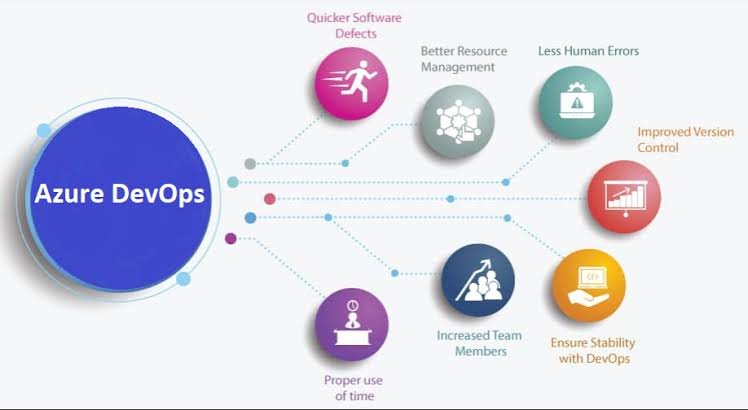
It reduces tool sprawl by consolidating SDLC in one platform, cutting costs 30-50% and boosting delivery speed via automation teams report 2x faster releases. Scalable agents handle parallel jobs without provisioning servers.
Enhanced collaboration through @mentions, discussions in work items, and traceability from commits to bugs improves transparency. For Indian devs in Gurugram, it optimizes hybrid workflows for UAE e-commerce apps, integrating Instagram APIs or Google Ads scripts securely.
99.9% uptime SLA and global regions ensure reliability; compliance features like audit logs support SOC2/GDPR.
Setting Up Azure DevOps: Quickstart for Developers
Sign up at dev.azure.com, create an organization and a project. Clone repo: git clone https://dev.azure.com/org/project/_git/repo, add code, commit, and push.
Create pipeline: New > Pipelines > YAML > trigger: - main, add build/test/deploy stages targeting AKS or VMs from earlier blogs. Link Boards: New work item > Sprint backlog assignment.
Integrate Azure AD: Project settings > Permissions > Groups for role-based access.
Integrating with Azure Services
Deploy to AKS: Use aK
authenticated via Azure AD. Provision VMs via ARM templates in pipelines. Artifacts feed npm packages for Node.js SEO crawlers.
Link Boards to Active Directory groups for automated assignments; Sentinel alerts on failed deploys.
Scaling and Advanced Workloads
Parallel jobs scale builds; self-hosted agents on spot VMs save 90%. Multi-repo pipelines checkout multiple sources; matrix strategies test across OS/browser combos.
GitOps with Flux extension deploys to AKS declaratively. For high-scale, use Environments for prod gates with manual approvals.
Security Best Practices
Scan code with CredScan/WhiteSource; block PRs without approvals. Use OIDC for GitHub auth, avoiding long-lived secrets. Pipeline security with endpoint permissions scoped to service principals.
Integrate Defender for DevOps to scan containers before AKS deploy; audit trails link changes to AD users.
Cost Management Strategies
Free tier: 1 hosted job (1800 min/month), unlimited repos/Boards. Paid: $40/user includes unlimited minutes; optimize with self-hosted agents on idle VMs.
Track via Cost Analysis; auto-shutdown pipelines outside business hours.
Monitoring, Reporting, and Troubleshooting
Analytics views show cycle time, defects escaped; query language filters work items: State = 'Active' AND AssignedTo = @Me. Failed builds: Rerun, check logs, artifact downloads.
Common issues: Agent pools exhausted (scale/add self-hosted), YAML syntax (validate), service limits (request increases).
Real-World Use Cases
Digital agencies automate WordPress deploys to Azure VMs with SEO plugins tested in Pipelines. Cloud security pros scan IaC for AKS clusters. E-commerce teams scale flower sales apps via Boards-tracked sprints.
DevOps for microservices: Multi-pipeline strategy per service, unified Boards view.
Future of Azure DevOps
Agentic AI evolves to auto-fix pipelines; deeper Copilot integration suggests YAML from natural language. Enhanced Kubernetes support and green pipelines optimize for sustainability.
Digital marketers and cloud experts, chain Azure DevOps with prior AKS/AD/VM guides for end-to-end secure delivery.