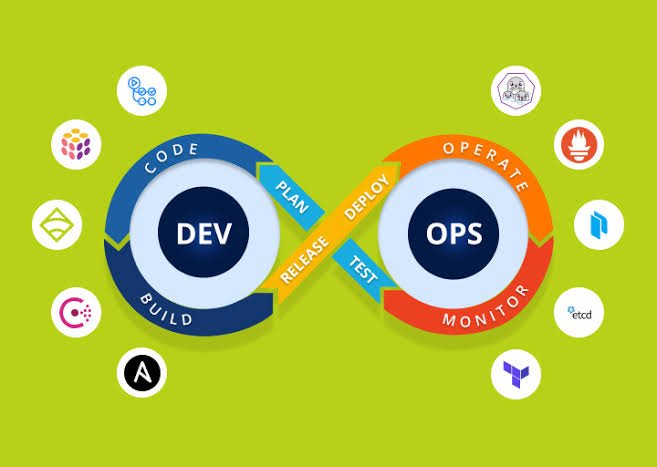
Cloud infrastructure automation has become a core pillar of modern DevOps practices. As organisations scale their applications and services, manually managing infrastructure is no longer practical. DevOps tools enable teams to automate provisioning, configuration, deployment, and monitoring, ensuring faster delivery and consistent environments.
From Infrastructure as Code (IaC) to configuration management and orchestration, the right tools can significantly enhance operational efficiency and reduce human error.
What Is Cloud Infrastructure Automation?
Cloud infrastructure automation refers to the use of tools and scripts to manage automatically and provision cloud resources. Instead of manually configuring servers, networks, and storage, DevOps teams define infrastructure using code.
Key components include:
- Infrastructure provisioning
- Configuration management
- Continuous deployment
- Monitoring and scaling
Top DevOps Tools for Cloud Infrastructure Automation
1. Terraform
Terraform is one of the most popular IaC tools used to define and provision infrastructure across multiple cloud providers.
Key features:
- Declarative configuration language (HCL)
- Multi-cloud support
- Version-controlled infrastructure
- Automated provisioning
Best for: Managing complex, multi-cloud environments.
2. Ansible
Ansible is an open-source automation tool used for configuration management and application deployment.
Key features:
- Agentless architecture
- Simple YAML-based playbooks
- Fast deployment cycles
- Easy to learn and use
Best for: Simplifying configuration management and automation tasks.
3. Kubernetes
Kubernetes is a powerful platform for automating the deployment, scaling, and management of containerised applications.
Key features:
- Automated container orchestration
- Self-healing and scaling capabilities
- High availability
- Multi-cloud compatibility
Best for: Managing containerised workloads at scale.
4. Docker
Docker enables developers to package applications and their dependencies into containers for consistent deployment.
Key features:
- Lightweight containerization
- Environment consistency
- Faster application delivery
- Easy integration with CI/CD tools
Best for: Standardising development and deployment environments.
5. AWS CloudFormation
AWS CloudFormation allows users to define and provision AWS infrastructure using templates.
Key features:
- Native integration with AWS services
- Template-based infrastructure management
- Automated provisioning and updates
- Rollback capabilities
Best for: Automating infrastructure within AWS environments.
6. Azure Resource Manager (ARM)
Azure Resource Manager is Microsoft’s service for deploying and managing Azure resources using templates.
Key features:
- Template-driven deployments
- Resource grouping and management
- Integrated security and access control
- Native Azure integration
Best for: Managing infrastructure in Azure environments.
7. Google Cloud Deployment Manager
Google Cloud Deployment Manager is used to automate the creation and management of Google Cloud resources.
Key features:
- YAML-based configuration
- Integration with Google Cloud services
- Automated resource provisioning
- Scalable infrastructure management
Best for: Automating deployments in Google Cloud.
8. Chef
Chef is a powerful automation platform for infrastructure configuration and deployment.
Key features:
- Infrastructure as Code approach
- Reusable configuration scripts
- Strong compliance and security features
- Scalable automation
Best for: Enterprises requiring advanced configuration management.
9. Puppet
Puppet is widely used for automating infrastructure management and ensuring consistency across systems.
Key features:
- Declarative language for configuration
- Centralized management
- Strong reporting and monitoring
- Scalable for large environments
Best for: Large-scale infrastructure automation.
Key Benefits of DevOps Automation Tools
1. Increased Efficiency
Automation reduces manual intervention, saving time and effort.
2. Consistency Across Environments
Infrastructure as Code ensures identical environments across development, testing, and production.
3. Faster Deployment
Automated pipelines enable rapid and frequent releases.
4. Improved Scalability
Easily scale infrastructure based on demand without manual configuration.
5. Enhanced Reliability
Reduced human errors lead to more stable and predictable systems.
How to Choose the Right DevOps Tool
Consider the following factors when selecting a tool:
- Cloud compatibility: AWS, Azure, GCP, or multi-cloud
- Ease of use: Learning curve and documentation
- Integration capabilities: CI/CD and DevOps ecosystem
- Scalability: Ability to handle growing workloads
- Security and compliance: Built-in controls and policies