In the digital era, data is one of the most valuable assets for businesses. Managing and storing this data efficiently is critical, and that’s where cloud storage comes in.
Cloud storage has transformed how organizations store, access, and manage data by eliminating the need for physical storage devices. This guide explains cloud storage, its types, architecture, and the benefits it offers to businesses.
What Is Cloud Storage?
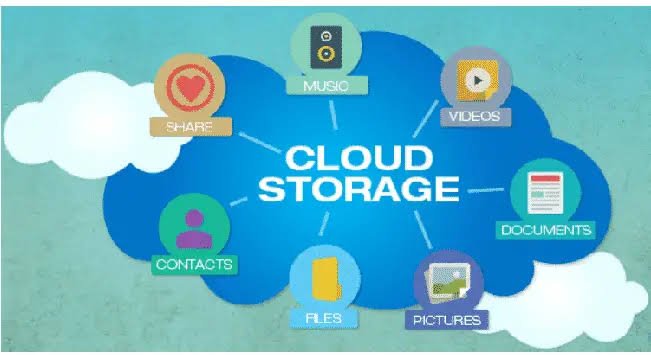
Cloud storage is a service that allows users to store data on remote servers managed by cloud providers and access it via the internet.
Instead of storing data locally on hard drives or servers, data is stored in distributed data centers, ensuring high availability, durability, and scalability.
Popular cloud storage providers include:
- Amazon Web Services (AWS S3)
- Microsoft Azure Blob Storage
- Google Cloud Storage
Types of Cloud Storage
1. Object Storage
Stores data as objects with metadata and unique identifiers.
- Ideal for: Media files, backups, big data
- Example: AWS S3
2. File Storage
Stores data in a hierarchical file system (folders and files).
- Ideal for: Shared file systems and collaboration
- Example: Network File Systems (NFS)
3. Block Storage
Stores data in fixed-size blocks for high performance.
- Ideal for: Databases and enterprise applications
- Example: AWS EBS
Cloud Storage Architecture
Cloud storage architecture consists of multiple layers working together:
1. Front-End Layer
The user interface or client application used to access data (web apps, APIs).
2. Back-End Layer
Includes servers, storage systems, and databases where data is stored.
3. Storage Virtualization
Abstracts physical storage into virtual resources, making it scalable and flexible.
4. Data Replication
Copies data across multiple locations to ensure durability and fault tolerance.
5. Network Layer
Connects users to cloud services via the internet or private networks.
Business Benefits of Cloud Storage
1. Cost Efficiency
Eliminates the need for physical storage hardware and maintenance.
2. Scalability
Easily scale storage capacity up or down based on demand.
3. Data Accessibility
Access data anytime, anywhere with an internet connection.
4. High Durability and Reliability
Data is replicated across multiple servers to prevent loss.
5. Enhanced Security
Includes encryption, access control, and compliance features.
6. Disaster Recovery
Ensures backup and quick recovery in case of data loss or failure.
Use Cases of Cloud Storage
- Data backup and recovery
- Media storage (images, videos)
- Big data analytics
- File sharing and collaboration
- Application data storage
Best Practices for Using Cloud Storage
1. Choose the Right Storage Type
Select object, file, or block storage based on your use case.
2. Implement Strong Security Measures
Use encryption, authentication, and access controls.
3. Optimize Costs
Use lifecycle policies to move infrequently used data to cheaper storage tiers.
4. Regularly Backup Data
Ensure redundancy and data protection.
5. Monitor Usage
Track storage consumption and performance.