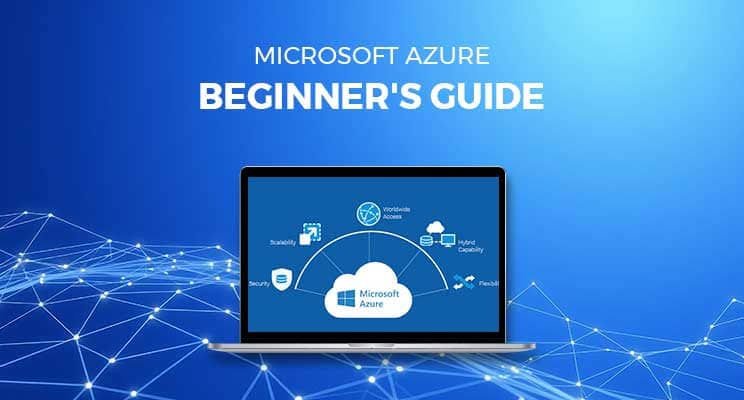
Microsoft Azure stands as Microsoft's powerhouse cloud computing platform, transforming how businesses worldwide build, deploy, and scale applications without owning physical servers. Launched in 2010 as Windows Azure and rebranded in 2014, it now spans over 200 services across 60+ regions, making it the second-largest cloud provider behind AWS. This beginner-friendly guide demystifies Azure fundamentals, core services, pricing, and practical first steps for IT professionals, developers, or anyone eyeing the AZ-900 certification.
Core Cloud Computing Concepts on Azure
Azure embodies three primary service models, solving different infrastructure challenges. Infrastructure as a Service (IaaS) gives you virtual machines, storage, and networking. You manage the OS and apps. Platform as a Service (PaaS) abstracts servers entirely; deploy web apps or databases while Azure handles scaling and patching. Software as a Service (SaaS) delivers ready-to-use apps like Microsoft 365 or Dynamics 365.
Azure operates on a shared responsibility model: Microsoft secures the physical datacenters, hypervisors, and global network; you own data, access controls, and application security. Public cloud deployment dominates, but hybrid (Azure Arc) and private (Azure Stack) options bridge on-premises systems seamlessly.
Azure Global Infrastructure: Regions and Availability
Azure's strength lies in its geographic distribution; 60+ regions with paired Availability Zones prevent single points of failure. Each region contains multiple datacenters; zones within regions offer low-latency disaster recovery. Deploy resources via the intuitive Azure Portal, CLI, PowerShell, or ARM templates for Infrastructure as Code (IaC).
Resource hierarchy organizes chaos: Management Groups contain Subscriptions, which house Resource Groups, logically grouping VMs, storage and networks. Tags enable cost allocation and policy enforcement across thousands of resources.
Essential Compute Services for Beginners
Virtual Machines (VMs) form the Azure IaaS foundation, Windows/Linux instances scaling from tiny dev boxes to GPU monsters for AI training. Deploy via portal in minutes; auto-scaling VM Scale Sets handle traffic spikes. Availability Sets distribute across fault/update domains for 99.95% SLA.
Azure App Service (PaaS) hosts web apps effortlessly, and deploys Node.js, .NET, and Python code without server management. Built-in CI/CD from GitHub, auto-scaling, and global load balancing simplify production workloads.
Azure Functions enable serverless event-driven code triggered on HTTP requests, blobs, or Cosmos DB changes. Pay-per-execution pricing suits sporadic workloads perfectly.
Storage and Data Services Explained
Azure Storage accounts unify four core services: Blob (unstructured data like images/videos), Files (SMB shares), Queue (message queuing), and Table (NoSQL). Access tiers (Hot/Cool/Archive) optimize costs; geo-redundant storage (GRS) ensures 99.999999999% (11 9s) durability.
Azure SQL Database offers fully-managed relational databases with auto-scaling, high availability, and global distribution. Cosmos DB provides multi-model NoSQL with global replication and 99.999% SLA for mission-critical apps.
Networking Fundamentals Every Beginner Needs
Virtual Networks (VNets) create isolated cloud networks with subnets mirroring on-premises. Network Security Groups (NSGs) act as firewalls; Application Gateway provides WAF-protected load balancing. Connect branches via VPN Gateway or dedicated ExpressRoute circuits.
Azure DNS hosts domains; Traffic Manager routes globally by latency or geography. Private Link keeps PaaS services off the public internet entirely.
Identity and Security: Azure Active Directory (AAD)
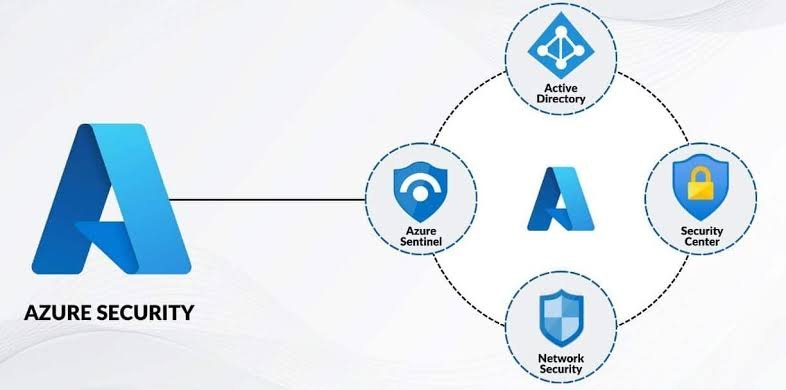
Azure AD provides enterprise-grade identity for 95% of Fortune 500. Single Sign-On (SSO) spans Microsoft/cloud apps; Multi-Factor Authentication (MFA) and Conditional Access block 99.9% of account compromise attacks. Role-Based Access Control (RBAC) assigns least-privilege permissions granularly across subscriptions.
Microsoft Defender for Cloud offers unified security posture management, vulnerability scanning, threat detection, and compliance scoring across multi-cloud/hybrid environments.
Developer Tools and DevOps Integration
Azure DevOps combines CI/CD pipelines, repos, boards, and artifacts. GitHub Actions deploy to Azure natively. Container support spans Azure Container Instances (ACI) for burst workloads, Azure Kubernetes Service (AKS) for production orchestration, and Azure Red Hat OpenShift.
Azure Monitor and Application Insights provide full-stack observability, logs, metrics, traces and alerting. Logic Apps orchestrate workflows across 400+ connectors.
Pricing, Cost Management, and Free Tier
Azure's consumption-based pricing means zero cost for idle resources. Free tier includes 12 months of popular services (VMs, storage) plus always-free tiers (serverless Functions, limited Cosmos DB). Pricing Calculator models costs accurately; Azure Cost Management analyzes spending with budgets and forecasts.
Azure Advisor suggests rightsizing opportunities, saving 30-65% instantly. Reservations (1-3 years) cut VM costs 72%; Spot instances handle interruptible workloads at 90% discounts.
Getting Started: Your First Azure Resources
- Create a free Azure account ($200 credit, no card upfront)
- Navigate Azure Portal, search/create VM in 90 seconds
- Deploy a static website to Blob storage
- Build a serverless API with Functions
- Enable basic monitoring and RBAC
AZ-900 Certification Path: Microsoft's fundamentals exam validates these concepts. Free learning paths on Microsoft Learn cover all objectives with labs.
Real-World Azure Use Cases Across Industries
Retail: Black Friday traffic handled by auto-scaling App Services
Healthcare: HIPAA-compliant Azure SQL with geo-replication
Finance: Zero-trust AAD protecting trading platforms
Gaming: Global low-latency via Azure PlayFab + Front Door
AI/ML: GPU VMs training models at enterprise scale
Azure vs AWS vs GCP: Why Choose Microsoft?
Deep Windows/.NET integration, unmatched hybrid capabilities (Azure Arc), and aggressive enterprise pricing position Azure ideally for Microsoft-centric shops. 95% of Fortune 500 use Azure; partner ecosystem rivals AWS.
Microsoft Azure eliminates infrastructure complexity, unleashing developer creativity across IaaS, PaaS and serverless paradigms. Start building today. The free tier removes all barriers. Your cloud journey begins now.